
Screenshots

App details
- Version
- 1
- Size
- 6.01 MB
- Updated
- June 24, 2024
- Requires
- Windows 11
- License
- Free
- Developer
- Barcode Generator
- Category
- Windows OS
SoftPas in:
This product is also available in the following languages:
About Windows Corporate Barcode Maker Tool
Download Windows Corporate Barcode Maker Tool – Free, Secure, Batch Barcode Generator for Windows & Mac
The Windows Corporate Barcode Maker Tool is a professional-grade software solution designed for businesses seeking efficient, scalable, and secure barcode generation for inventory, logistics, retail, and supply chain management. Whether you're managing thousands of SKUs or organizing shipping labels, this tool streamlines the entire barcode creation process. With support for over 20 barcode standards—including Codabar, Code 128, QR Code, DataMatrix, and EAN-13—this software ensures compatibility across global industry standards. Its standout batch processing feature allows users to import data from Excel, CSV, and text files to generate hundreds or even thousands of unique barcodes in minutes. The intuitive interface makes it accessible for beginners while offering advanced customization options for experienced users. You can easily copy and paste barcodes into Microsoft Word, Excel, PowerPoint, and other Windows applications. Additionally, exported labels can be saved in high-quality image formats like JPEG, PNG, and PDF—perfect for printing or digital sharing. With built-in security protocols and regular updates, this tool is ideal for corporate environments where data integrity and consistency are critical.
Key Features of the Windows Corporate Barcode Maker Tool
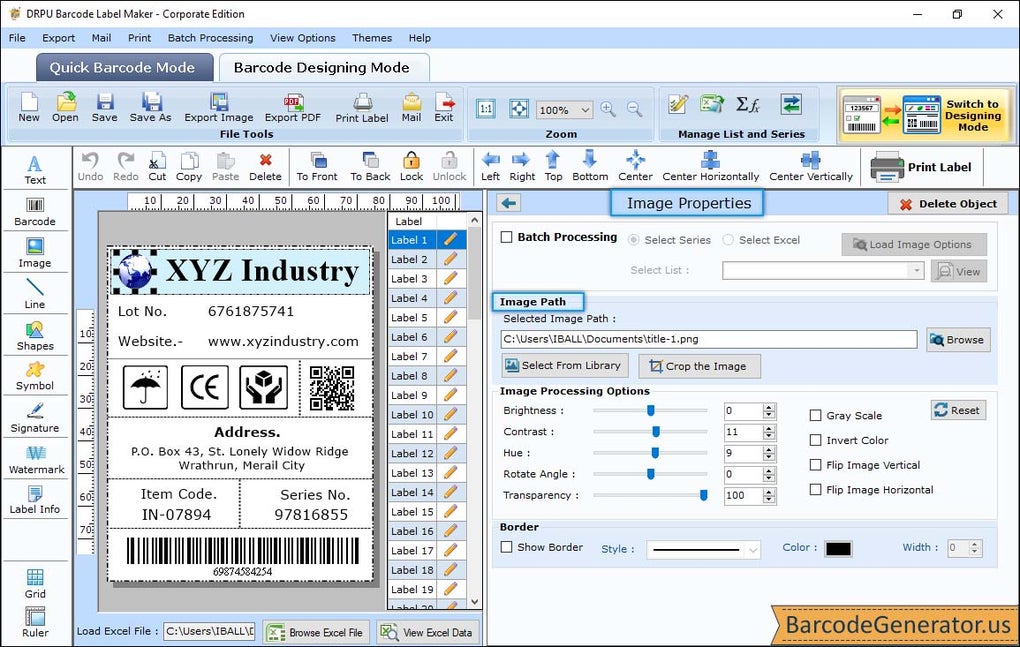
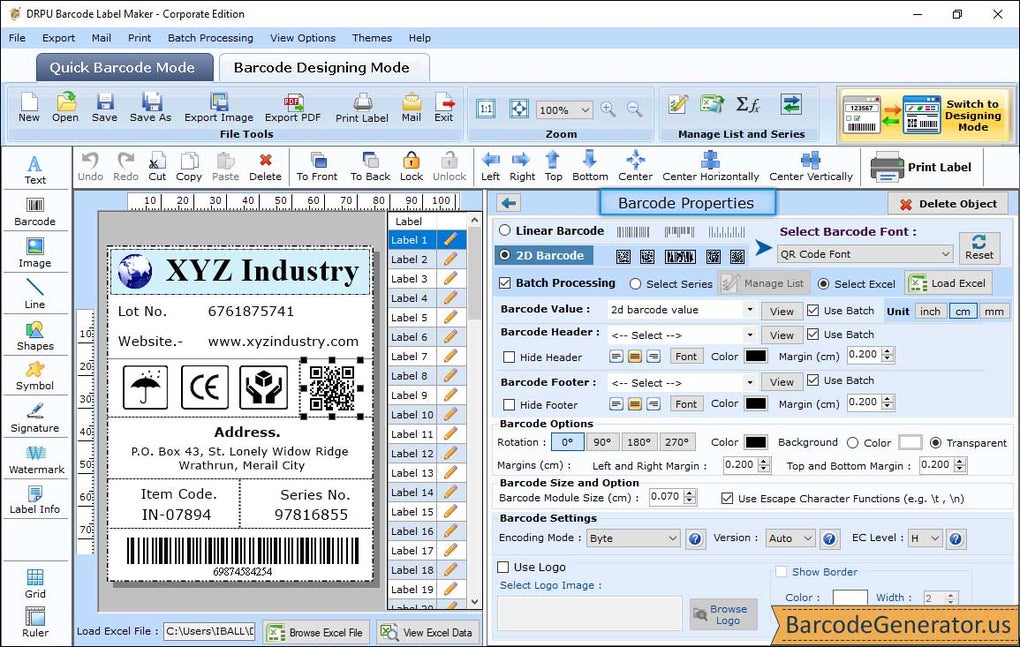
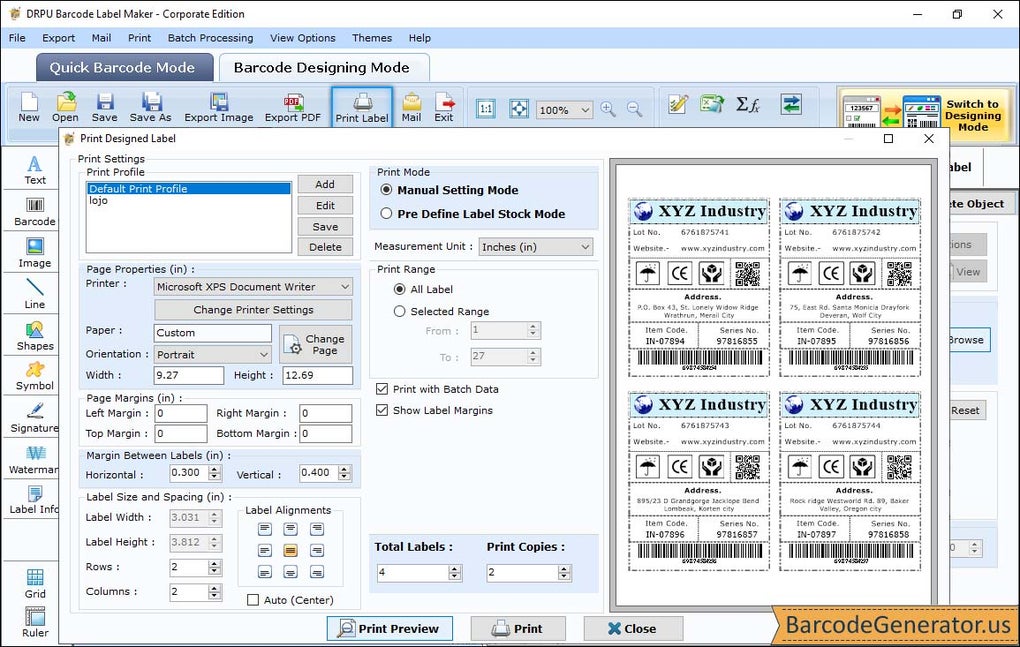
The Windows Corporate Barcode Maker Tool comes packed with features tailored for enterprise-level barcode management. One of its most powerful capabilities is batch processing, which enables users to generate large volumes of barcodes with unique values in a single operation. By importing data from Excel spreadsheets or plain text files, businesses can automate label creation for inventory tracking, product serialization, or shipping manifests. The software supports a wide range of barcode types, including linear (Code 128, UPC-A, EAN-13) and 2D formats (QR Code, DataMatrix, PDF417), ensuring compatibility with scanners and systems worldwide. Users can customize font size, color, orientation, and label layout to match brand guidelines or printing requirements. The tool also includes a preview mode that lets you see how labels will appear before printing, reducing errors and waste. Another valuable feature is the ability to copy and paste barcodes directly into Microsoft Office applications, making it easy to integrate labels into reports, invoices, or packaging designs. For digital distribution, barcodes can be exported in multiple formats—JPEG, PNG, and PDF—ensuring high-resolution output suitable for both print and screen. The software also includes data validation tools to prevent input errors, and a print queue manager to handle multiple print jobs efficiently. Whether you're a small business or a large corporation, this tool scales seamlessly to meet growing demands.
How to Install and Use the Windows Corporate Barcode Maker Tool
Installing the Windows Corporate Barcode Maker Tool is quick and straightforward. Begin by downloading the latest version from the official website. The installer is lightweight and compatible with Windows 10, 11, and Windows Server environments. Once downloaded, run the executable file and follow the on-screen prompts to complete the setup. The installation process takes less than two minutes and does not require administrator rights for basic use. After installation, launch the application to access the clean, intuitive dashboard. To create your first batch of barcodes, click on “New Project” and choose between manual entry or importing data from an Excel (.xlsx) or CSV file. If you're using an Excel file, ensure your data is properly formatted with columns for item names, IDs, and barcode values. The tool will automatically detect the structure and map fields accordingly. Next, select your preferred barcode type—such as Code 128 or QR Code—from the dropdown menu. Customize label size, margins, font, and colors using the built-in editor. Once configured, click “Generate” to produce all barcodes. You can then preview them, adjust spacing, or reposition elements before finalizing. To export, choose your desired format—JPEG, PNG, or PDF—and specify the output folder. The software also supports direct printing via connected label printers or standard printers. For ongoing use, the tool includes an auto-update checker that notifies you of new versions, ensuring you always have the latest security patches and feature improvements.
Compatibility and System Requirements
The Windows Corporate Barcode Maker Tool is designed for maximum compatibility across modern business environments. It runs smoothly on Windows 10, Windows 11, and Windows Server 2016/2019/2022, making it ideal for enterprise IT departments. While primarily built for Windows, the software is also available as a compatible version for Mac OS X (10.14 and later), allowing teams with mixed operating systems to collaborate seamlessly. The application supports integration with popular business tools such as Microsoft Excel, Word, and Outlook, enabling users to embed barcodes directly into documents, emails, and presentations. It also works with most standard label printers—including Zebra, Brother, and Epson—via USB, network, or Bluetooth connections. The software requires a minimum of 2 GB RAM, 500 MB of free disk space, and a screen resolution of 1024x768 or higher. No special hardware is required, making it accessible even on older workstations. For cloud-based workflows, the tool allows exporting barcode labels to shared drives or cloud storage platforms like OneDrive and Google Drive. The interface is fully responsive and supports high DPI displays, ensuring sharp visuals on 4K monitors. Regular updates are released to maintain compatibility with new Windows versions and security standards. Whether used on a desktop, laptop, or thin client, this software delivers consistent performance and reliability across all supported platforms.
Pros and Cons of the Windows Corporate Barcode Maker Tool
- Pros:
- Powerful batch processing for bulk barcode generation
- Supports 20+ barcode standards including QR Code and DataMatrix
- Seamless integration with Excel, Word, and other Microsoft Office apps
- High-quality exports in JPEG, PNG, and PDF formats
- Intuitive interface suitable for beginners and experts alike
- Regular free updates and strong security protocols
- Compatible with Windows, Mac, and major label printers
- Cons:
- Advanced features require a paid license (free version has limited output)
- No native mobile app for Android or iOS (though labels can be viewed on devices)
- Learning curve for users unfamiliar with barcode standards
- Printer driver configuration may be needed for complex label layouts
- Cloud sync not built-in (requires third-party tools)
Frequently Asked Questions (FAQ)
-
Can I generate barcodes from an Excel file?
Yes, the Windows Corporate Barcode Maker Tool fully supports importing data from Excel (.xlsx) and CSV files. Simply map your columns to barcode fields (e.g., product ID, SKU, serial number), and the tool will generate unique barcodes for each row automatically.
-
Is the software free to download and use?
Yes, you can download and use a free version with basic features. However, full functionality—including batch processing, advanced export formats, and unlimited output—requires a paid license. The free version is ideal for testing and small-scale projects.
-
Does it work with Mac computers?
Yes, the software is available for Mac OS X 10.14 and later. It offers the same core features as the Windows version, ensuring cross-platform consistency for teams using mixed operating systems.
-
Can I print barcodes directly from the tool?
Absolutely. The tool supports direct printing to standard and label printers. You can set print margins, scale, and layout before sending jobs to your printer, making it ideal for warehouse and shipping departments.
-
How often does the software receive updates?
The developers release regular updates every 6–8 weeks, including bug fixes, security patches, and new barcode standard support. Users are notified automatically when updates are available.
Conclusion: Why Choose the Windows Corporate Barcode Maker Tool?
If you're looking for a secure, scalable, and user-friendly barcode generator for your business, the Windows Corporate Barcode Maker Tool stands out as a top choice. Whether you're managing inventory, shipping goods, or creating product labels, this software delivers speed, accuracy, and flexibility. Its batch processing capability saves hours of manual work, while the support for multiple barcode standards ensures compatibility across industries. The ability to copy and paste barcodes into Word or Excel, combined with high-quality export options, makes it a versatile tool for both digital and print workflows. With support for Windows, Mac, and major printers, it fits seamlessly into modern corporate environments. While the free version offers a solid foundation, upgrading unlocks full potential for enterprise use. For businesses serious about efficiency and accuracy, this tool is a must-have. Download the Windows Corporate Barcode Maker Tool today and streamline your labeling process with confidence.
CTA: Download Free Now – Try the Windows Corporate Barcode Maker Tool Today
Guides & Tutorials
How to install Windows Corporate Barcode Maker Tool
- Click the Download button above.
- Once redirected, accept the terms and click Install.
- Wait for the Windows Corporate Barcode Maker Tool download to finish on your device.
How to use Windows Corporate Barcode Maker Tool
This software is primarily used for its core features described above. Open the app after installation to explore its capabilities.
User Reviews
No reviews yet. Be the first to share your experience.
You may also like
more
Llama 2
Free-to-use large language model As the new addition to Meta’s arsenal of langua...

NotebookLM
Revolutionizing the note-taking and idea-generation process NotebookLM is an exp...

Github co pilot
AI-inspired software development and coding platform GitHub Copilot is a browser...

Google Gemma
Google’s lightweight AI models Introducing Google Gemma , a family of cutting-ed...

AI Image Enlarger
A free app for Windows, by ai-image-larger. AI Image Enlarger is a free software...

DALL E
AI-driven text-to-image transformation engine DALL·E is a free graphic and desig...